



What Launch Monitors Actually Measure and Why Golf Professionals Need to Understand the Data
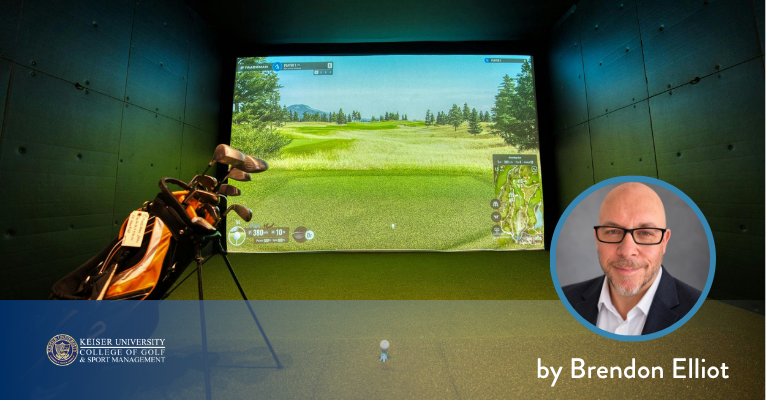
Brendon R. Elliott, PGA, Golf Professional, Coach, Educator, and Writer
The screen lights up after one driver swing: 151.2 mph ball speed, 12.4 degrees of launch, 2,480 rpm of spin, 261 yards of carry, and several more numbers the golfer may never have seen. Technology completed its job in seconds. The professional’s job has just begun.
A launch monitor captures information about the club, impact, the ball’s launch, and, depending on the system and setting, its flight. Some values are measured directly. Others are calculated or modeled from measured inputs. The distinction changes by device, technology, software, and environment.
Golf professionals do not need to turn every lesson into a physics class. They do need to know where a number came from, what it can explain, and when the golfer’s strike and actual ball flight deserve more attention than the display.
What the Unit Can See
A radar unit sits behind the ball because it needs to follow movement downrange. Camera systems do their work in a much smaller space near impact, where a quick series of images captures the club and ball. A hybrid model can use both. That hardware choice helps explain why two launch monitors may not build every number the same way.
TrackMan 4 uses dual radar and a camera to track club delivery, launch, and flight. The indoor TrackMan iO combines radar and high-speed imaging. Foresight Sports describes launch conditions as measured and flight results, such as height and distance, as calculated from those inputs. FlightScope publishes parameter definitions and identifies the data available by product or software package.
Ball Speed and Club Speed Start the Conversation
Ball speed is the speed of the ball immediately after impact. It shows the energy produced by the strike but does not identify the cause. A change can come from club speed, contact, delivered loft, or equipment.
Club speed describes how fast the clubhead is moving at a defined point around impact. TrackMan reports it at the geometric center using pre-impact movement. An optical system may reference a different point near the face.
Smash factor is simply ball speed divided by club speed. Treat it as a clue about the strike, not a score for the golfer. The club in hand and the shot being attempted change what a useful reading looks like. So can a missed strike or unreliable clubhead capture.
Launch and Spin Describe the Ball’s Opening Flight
Vertical launch angle shows how high the ball starts relative to the ground. Horizontal launch direction shows where it begins relative to the target line. Spin rate measures how quickly the ball rotates. Spin axis or equivalent curvature information describes the tilt associated with the ball’s movement through the air.
Consider two shots. The driver climbs quickly, looks impressive, and comes down well short of what its ball speed should produce. Spin may be stealing the distance. The 7-iron beside it carries the intended yardage yet lands so flat that it will struggle to stop on a firm green. Neither answer sits in a single box on the screen.
There is no universal ideal chart for every golfer. The useful window depends on speed, club, strike, delivery, ball, equipment, and purpose. A player hitting a controlled 7-iron into wind should not be judged against the same launch conditions as a full stock shot.
Path and Face Help Explain Direction and Curve
Club path describes the direction the clubhead is moving through impact relative to the target line. Face angle describes where the clubface is pointed. Face-to-path compares those two values.
Together, they help a coach understand why a ball started and curved as it did. A right-handed player can produce a path traveling to the right of the target while the face is left of that path, creating conditions for the ball to curve left. The amount and outcome depend on the rest of the delivery and strike.
Put a gate a few feet in front of the ball. The player either starts it through the gate or does not. Launch direction then checks something the golfer can already see instead of becoming a command to manipulate the swing. The same rule works when changing curve: watch the ball, glance at face-to-path, and hit another one.
If a golfer walks away thinking about six numbers, the screen took over the lesson. One number may be enough for the next ball.
Strike Location Can Change the Whole Reading
Impact location belongs near the front of any diagnosis. A heel or toe strike can affect ball speed, launch, spin, and curvature. With a driver, gear effect can create ball behavior that a simple face-and-path explanation misses. A fitter who ignores strike may adjust the head or shaft to solve a delivery pattern the player did not repeat.
Some camera systems measure impact location with the correct setup. Face spray, impact tape, or a separate camera can also work. Know the strike before building a conclusion around the other numbers.
Carry Distance Is an Output, Not a Cause
Carry stops at the ball’s first landing, but the figure on the screen does not always come from a fully tracked flight. A radar unit outdoors may follow the ball far downrange. Into an indoor screen, the available flight can be only a few yards, so software projects the rest from the launch conditions. Foresight Sports, for example, lists GCQuad carry as a calculated result.
When carry suddenly looks wrong, leave the golfer alone for a minute and inspect the setup. Normalization may have been left on. The altitude or wind setting may belong to the last session. The unit could be misaligned, too close to the ball, or short on indoor flight. Even the ball and mat can change the result. A professional checks those possibilities before asking a player to make a different swing.
A Professional Has to Edit the Screen
A lesson, a fitting, and a simulator bay can show the same column of numbers, yet the professional is solving a different problem in each place. The coach may be checking whether a new task changed the flight. The fitter has to separate the golfer’s delivery from the club’s performance. If readings suddenly turn strange across an entire facility, the answer may be calibration or maintenance. Knowing which question belongs to the screen is part of the job.
Keiser’s Golf Management, BS curriculum includes golf swing fundamentals, instruction, club fitting and repair, coaching, facility operations, and performance development. The College of Golf also utilizes state-of-the-practice launch monitors, simulators, and swing-analysis bays. Learning the vocabulary is only the first step. Students should practice explaining the numbers in ordinary language and connecting them to a shot a golfer can see.
The best launch-monitor session does not end with the largest collection of data. It ends when the professional can identify the few numbers that answer today’s question and leave the rest of the screen alone.